À propos de ce cours
Course Overview
Transform your creative vision into stunning reality with our comprehensive Adobe Photoshop course. Whether you're a complete beginner or looking to refine your skills, this step-by-step program will guide you through the world's leading image editing software, empowering you to create professional-quality designs, photo manipulations, and digital artwork.
What You'll Learn
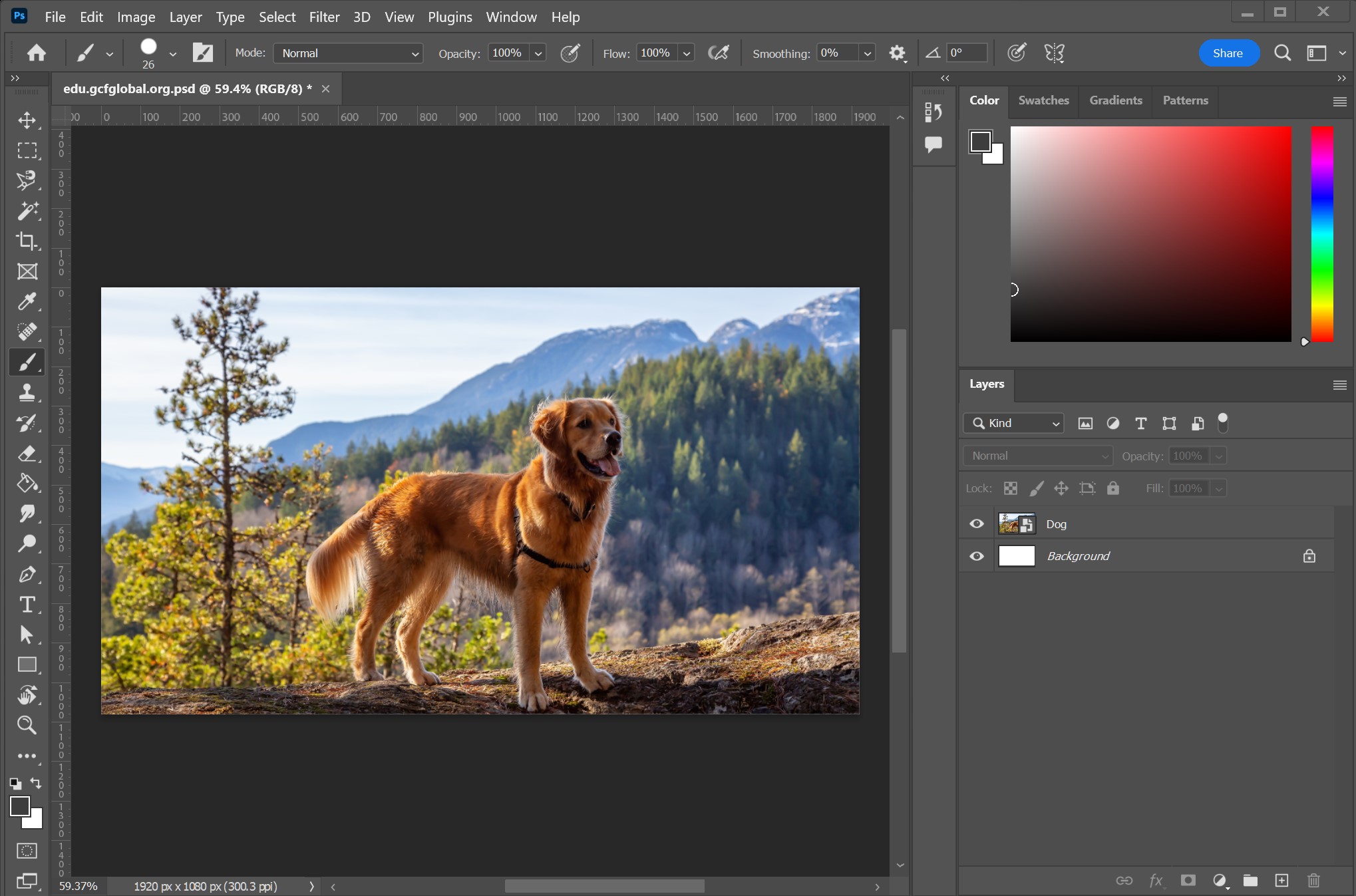
- Navigate the Photoshop interface with confidence and customize your workspace for maximum efficiency
- Master essential tools and techniques including selections, layers, masks, and adjustment layers
- Develop professional photo retouching skills to transform ordinary photos into extraordinary images
- Create complex compositions and digital artwork using advanced blending techniques
- Design stunning graphics for social media, web, and print applications
- Harness the power of Photoshop's newest features including AI-powered tools and neural filters
- Implement time-saving workflows that will dramatically increase your productivity
Course Content
Module 1: Photoshop Foundations
Dive into the essentials of Photoshop's interface, tools, and workspace customization. Build a solid foundation that will support your creative journey from day one.
Module 2: Selection Mastery
Learn to isolate and manipulate specific areas of your images with precision using Photoshop's comprehensive selection tools, from basic marquee tools to advanced techniques like Select and Mask.
Module 3: Layers & Masks Deep Dive
Unlock the true power of Photoshop by mastering the layers panel, layer masks, and blending modes – the backbone of non-destructive editing workflows.
Module 4: Professional Photo Retouching
Discover the secrets of professional photographers as you learn to enhance portraits, remove imperfections, and make your subjects look their absolute best while maintaining natural results.
Module 5: Color Correction & Grading
Transform the mood and atmosphere of your images with professional color grading techniques used in the photography and film industries.
Module 6: Creative Compositing
Push the boundaries of reality by combining multiple images into seamless, photorealistic compositions that will captivate your audience.
Module 7: Typography & Design Elements
Elevate your design work with professional text treatments, custom shapes, and vector elements that integrate perfectly with your photographic content.
Module 8: Automation & Efficiency
Save countless hours with actions, batch processing, and smart objects to streamline repetitive tasks and maintain flexible, non-destructive workflows.
Module 9: Advanced Creative Techniques
Expand your creative horizons with digital painting, 3D integration, and Photoshop's neural filters powered by Adobe Sensei AI technology.
Module 10: Real-World Projects
Apply everything you've learned in comprehensive, guided projects that will build your portfolio and demonstrate your new skills to potential clients or employers.
Who This Course Is For
- Photography enthusiasts looking to take their images to the next level
- Graphic designers wanting to expand their skillset with professional photo manipulation
- Digital artists seeking to create stunning composite artwork and illustrations
- Marketing professionals needing to create eye-catching visuals for campaigns
- Content creators wanting to stand out with high-quality graphics for social media
- Complete beginners with no prior experience who want to learn image editing from scratch
Your Instructor
With over 15 years of professional experience in digital design and photography, I've worked with major brands, magazines, and creative agencies to create compelling visual content. My teaching methodology focuses on practical, real-world applications that will help you achieve professional results quickly while building the foundation for advanced creative exploration.
What Students Are Saying
"This course completely transformed my approach to photo editing. The instructor breaks down complex concepts into manageable steps, and the project-based learning helped me apply everything immediately to my own work." – Sarah M.
"As someone who had never opened Photoshop before, I was intimidated at first. But the clear explanations and supportive community made learning enjoyable. Now I'm creating designs I never thought possible!" – Michael T.
Course Requirements
- Adobe Photoshop CC (free trial available through Adobe)
- No prior experience necessary – we'll start from the absolute basics
- Basic computer skills and a desire to learn
- Practice files included with every lesson
Join Today and Unlock Your Creative Potential!
Lifetime access to all course materials, including future updates. Start your journey today and join thousands of successful students who have transformed their creative skills through this comprehensive Photoshop masterclass.
Satisfaction guaranteed – if you're not completely satisfied within 30 days, receive a full refund, no questions asked.